Make a short shot list before cooking
List the recipe introduction, ingredients, key transformations and finished result. Decide which moments need your explanation and which need a close-up. This reduces camera adjustments while your hands are occupied.
Measure ingredients and prepare a clear working space before the main take. Leave room for the phone support outside your preparation area.
Separate the presenter shot from food detail
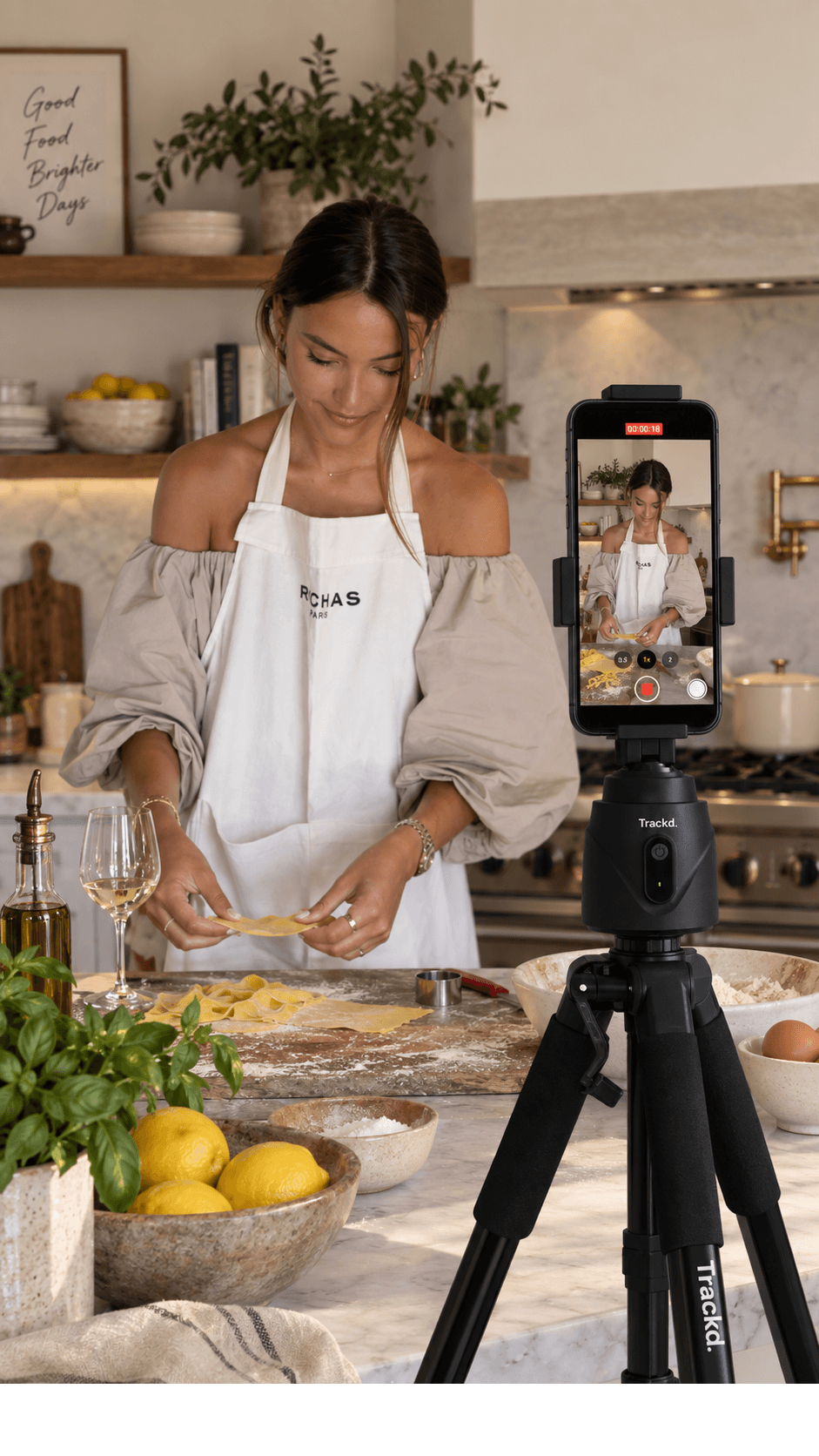
For the main view, place the phone across from the bench so your upper body and working area fit together. Rehearse reaching for ingredients and using utensils to check the edges of the frame.
Record texture, chopping and plating details as separate fixed shots. Solo Lock can follow the presenter, but it does not track food, a pan or an ingredient. Do not rely on person tracking to keep a small detail centred.
Keep the setup predictable
Position the support away from a hot hob, steam and splashes. Use a separate support intended for the angle you need; do not improvise an overhead rig with a person-tracking mount.
Keep lights and camera position consistent between steps. Record a voice test before starting noisy equipment. You can explain a noisy step before or after demonstrating it.
Build the edit from clear steps
Review each important step while it can still be repeated. Keep a little still footage before and after the action so you have room to cut.
Export the selected footage from Trackd, then assemble your recipe in your preferred editor. Use captions for quantities and steps, and check that they do not cover the food or your hands.
Keep recipe steps consistent between takes
Before moving the camera, check that you have the start and finish of the step. Note the ingredient amounts and which tools are visible so the next shot follows naturally. For a quick transformation such as pouring or folding, record a wider reference take as well as the close-up when practical.
Review the sequence before clearing the bench. A beautiful detail shot may still leave a gap if viewers cannot see what happened immediately before it. Use your shot list to check the explanation, action and result together.
Setup instructions and related filming guides
Frequently asked questions
Will Trackd automatically follow the food?
No. Solo Lock follows one person. Use a fixed shot for food and ingredient close-ups.
Should I record the whole recipe in one take?
You can, but separate takes make it easier to check each step and retake unclear explanations. Capture any time-sensitive changes while they happen.
Explore hands-free creator filming
See how Trackd Solo Lock fits a one-person filming setup, including compatibility and tracking limits.