
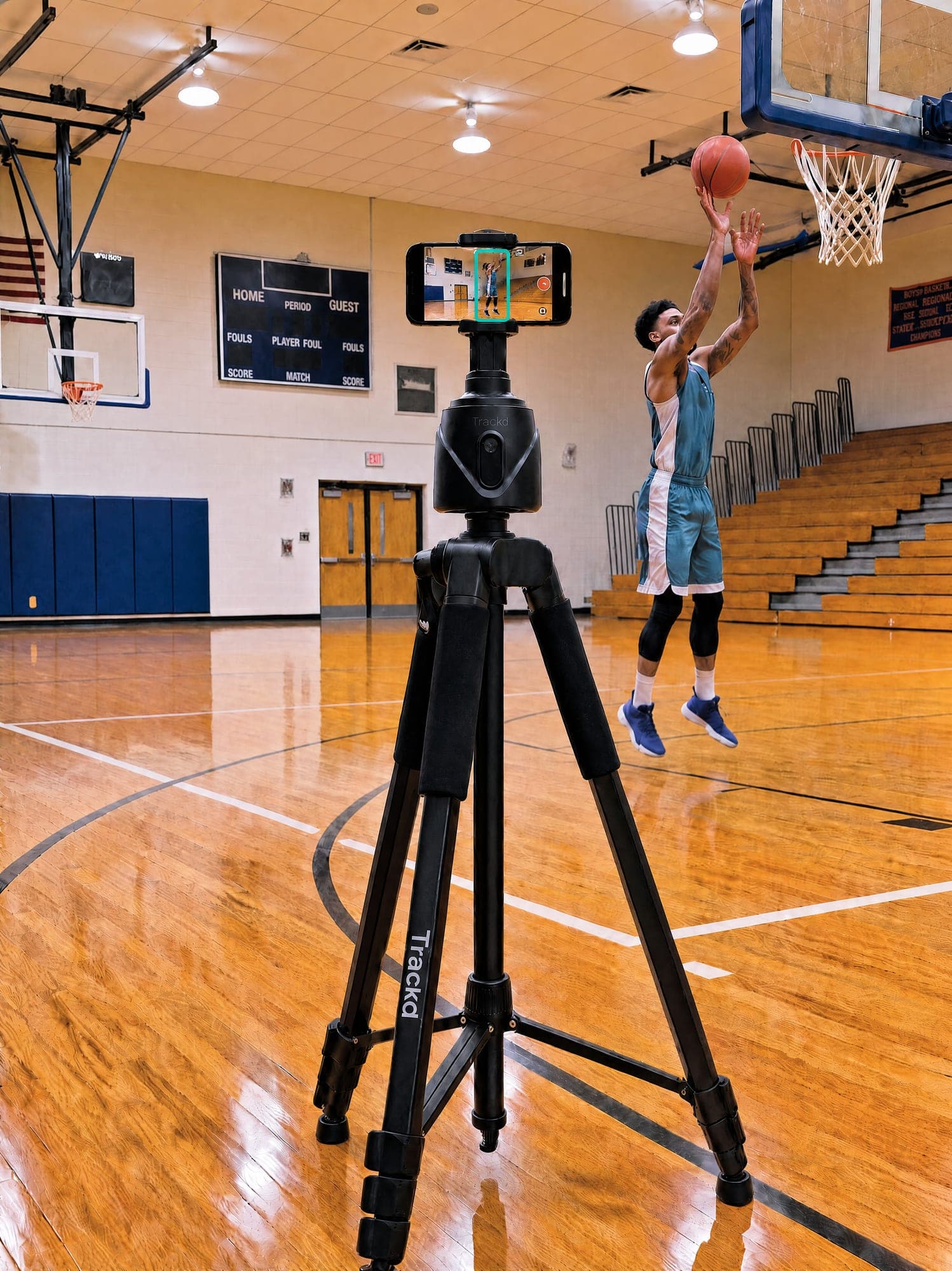
An auto-tracking basketball camera keeps the game framed without anyone operating it. There are four main designs: fixed wide-angle cameras that crop digitally, dual-lens AI cameras, panoramic multi-lens systems, and motorised mounts that turn a phone. If you already own a compatible phone, a motorised mount like Trackd is usually the lowest-cost option: A$329 for the mount, no subscription required to track and record, and a Basketball Broadcast View with a live scoreboard.
Does a phone gimbal make a good basketball camera?
No. A phone gimbal is a handheld stabiliser whose tracking follows one person you select. Courtside, a tripod already removes the shake and the game is never one player, so a gimbal's main features don't help. A dedicated mount at halfway that follows the play does. Trackd adds a basketball mode with set tripod positions, Broadcast View with a live scoreboard, and modes for netball, soccer and rugby as well.
Compare gimbals and sports mounts
The four types of auto-tracking basketball camera
| Type | How it follows play | Strengths | Check before buying |
|---|---|---|---|
| Fixed wide-angle (digital crop) | One ultra-wide lens sees the whole court; software crops towards the action | No moving parts; the whole court is always captured | Detail at the far end once cropped; app or plan requirements |
| Dual-lens AI camera | A wide tracking lens plus a recording lens, often on a motorised head | Dedicated hardware, usually with its own battery and storage | Price, accessories, and any subscription for streaming or highlights |
| Panoramic multi-lens system | Several lenses stitch a full-court view; following is often done in software after upload | A complete tactical record of the court | Higher cost, usually a subscription; often aimed at clubs |
| Motorised phone mount (Trackd) | The mount physically turns your phone to follow play | Uses the phone you own; low cost; your phone’s camera | Needs a compatible phone; results depend on placement and a clear view |
For a line-by-line price comparison of BallerCam, XbotGo, Veo and Pixellot, including first-season costs, see our pricing comparison linked below.
What to check before you buy
- First-season cost: device, tripod, any subscription, storage and extra accessories, not just the box price.
- Livestreaming: whether it's included, needs a paid plan, or needs a separate app.
- Venue rules: where you're allowed to stand, whether you can elevate a tripod, and whether power is available.
- Setup time between games, especially at tournaments with back-to-back fixtures.
- Footage ownership: whether recordings stay on your device or live on someone else's platform.
- Device requirements, the return policy and the warranty.
What Trackd does for basketball
- Group Sports → Basketball, with Halfway Line or One-Third Down the Court tripod positions.
- Broadcast View: a 183 cm tripod at halfway, with a six-point calibration of both hoops and the four court corners on the mounted phone.
- Broadcast outputs: record only, live without a scoreboard, or live with a scoreboard controlled from a second device.
- Live Stream shares a private viewer link that also shows a replay for seven days, where the control is available for your account.
- In-app editing: split, trim, reorder, change speed and add markers; export in High, Standard or Compact quality.
- Film now with iPhone 12 or newer on iOS 17.6+. You can order a mount now for a listed Android phone and start filming after the public release. The Android app is awaiting Google Play Store approval.
- Mount battery: up to 8 hours per charge.
Our own guidance is that courts and solo training currently give Trackd's most consistent tracking. On a basketball court, players and the ball stay larger in frame than on a full-size field, and the shorter distances make the camera's job easier.
Where to put a basketball camera
Halfway, as high as the venue safely allows. A halfway position keeps both baskets at a similar size, and height shows spacing on the weak side that a floor-level camera hides behind the nearest players. Never put a tripod in the run-off, in an aisle or against the basket structure. Our full filming guide covers each venue type in detail.
Livestreaming the game?
See how Basketball Broadcast View, the live scoreboard and the private viewer link fit together.
Basketball guides
- Auto-tracking basketball camera guide
- How to livestream a basketball game
- How to film a basketball game
- Gimbal versus dedicated tracking mount
- Basketball video analysis and clips
- BallerCam vs XbotGo, Veo and Pixellot pricing
- Basketball court dimensions
- Basketball filming hub
- Broadcast View setup in the Help Center