
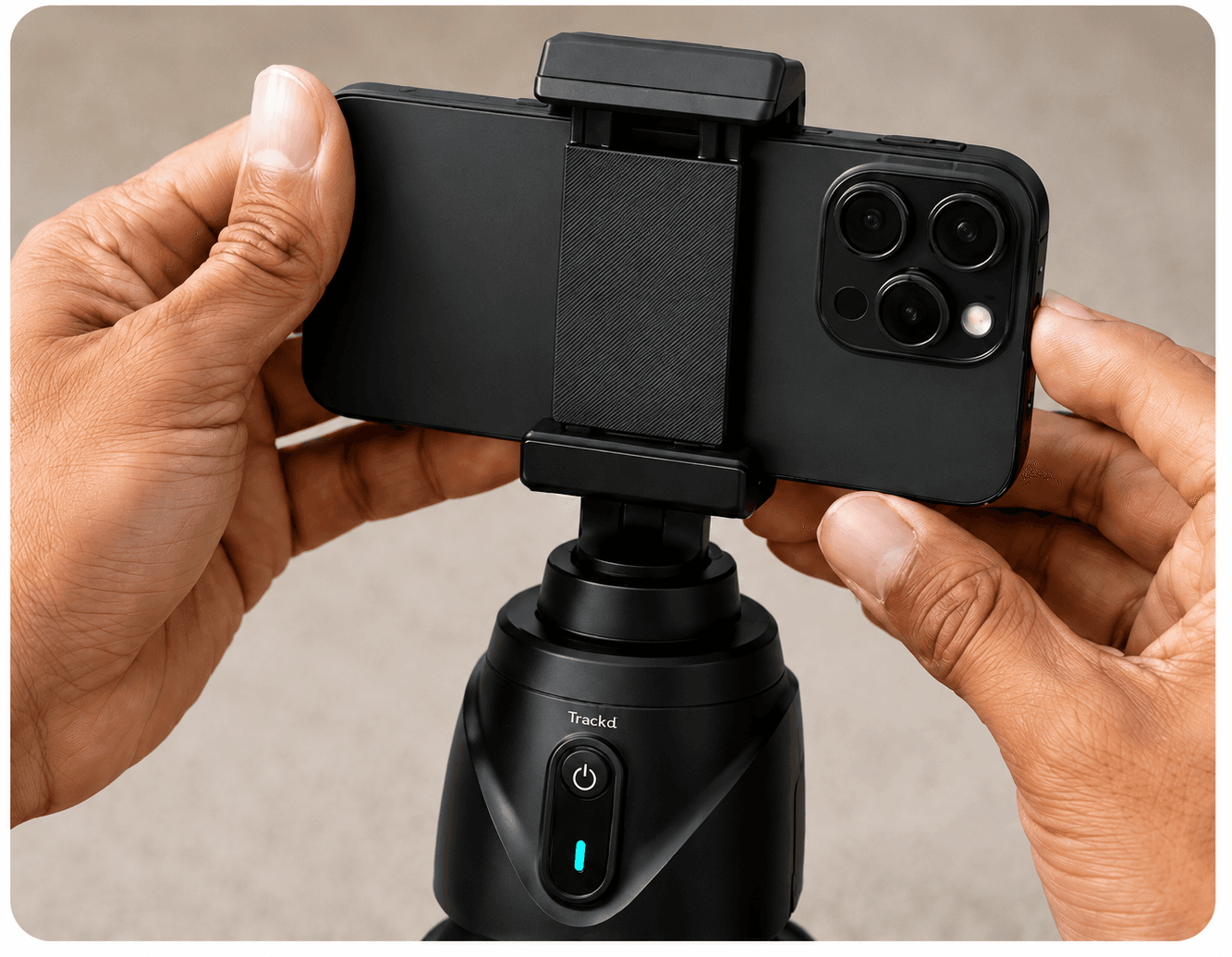
What kind of mount tracks me when recording?
An AI camera tracker can be a motorised phone mount or a camera with tracking built in. For creator videos, first decide whether you want to use your phone as the recording camera. A phone mount keeps that camera in one place and turns it toward you; it does not travel behind you as you walk.
Trackd is a phone-mount setup: the free Trackd iPhone app detects one selected person in Solo Lock and controls the mount’s pan and tilt over Bluetooth. You record in Trackd and export the result. Other mounts may handle tracking themselves and let you keep your preferred recording app. That app difference matters when choosing equipment for TikTok, Reels or an edited tutorial.
Start with what needs to move
Imagine the shot before comparing accessories. If a product stays on a table and the framing should remain unchanged, a fixed support is a good starting point. If you walk around while explaining something to a stationary phone, tracking may help. If the camera travels with you, handheld stabilisation is a different requirement.
Some gimbals include a small tripod and automatic tracking. That does not make every mode equivalent to a dedicated fixed setup. Check the instructions for the model, supported app and accessories you actually plan to use.
| Support type | Main job | Useful starting point | Check before choosing |
|---|---|---|---|
| Fixed tripod | Hold a chosen camera position | Product detail or seated explanation | Height, stability, clamp and load |
| Tracking mount | Turn the camera toward a selected subject | One moving presenter in a clear area | Tracking mode, app and visibility limits |
| Handheld gimbal | Help stabilise a moving camera | Walking footage or deliberate camera moves | Phone fit, balancing and supported features |
When a fixed tripod is enough
A steady view lets you compose around a product, a workbench or a repeatable demonstration. It keeps the background and shot boundaries predictable, which can make close-ups and before-and-after edits easier to assemble.
Its limitation is the frame you choose: if the presenter walks out of that view, the tripod will not follow them. You can solve that with a wider shot, a smaller movement area or a different support. Start with the simplest change that makes the test usable.
When person tracking helps
A tracking mount can keep one presenter in view while they move through a visible space. Trackd Solo Lock does this using a compatible iPhone, the Trackd app and the Trackd Mount. The support stays in one location while the mount changes direction.
Tracking is not the same as travelling through a room or seeing behind obstacles. Solo Lock follows the selected person, not a product label or food detail. Keep separate fixed shots in your plan when an object is the subject.
When a handheld gimbal fits better
A handheld gimbal is worth considering when the camera itself moves and you want controlled camera motion. DJI’s smartphone gimbal guidance, for example, teaches deliberate camera moves and transitions. That is a different shot from leaving a phone in place while a presenter moves.
For a specific purchase, check the current manufacturer instructions for tracking, app support, phone compatibility and any required module. Avoid assuming features from one model or app apply to another. This is a comparison of filming functions, not a tested ranking of individual products.
Test the workflow all the way to the exported clip
Try a short version of your usual video with the proposed setup. Check how long it takes to frame, start, stop and review the recording. If you are filming alone, those steps can matter as much as the smoothness of one shot.
Compare the saved results at the size you intend to share. Choose the support that gives you the clearest repeatable result for that workflow, and add a second method only when you need a different kind of shot.
Setup instructions and related guides
- Motorised phone mount for hands-free creator filming — See Trackd Solo Lock, iPhone requirements and Australian buying options.
- Build an iPhone creator kit
- Film yourself with an iPhone
- Solo Lock instructions
- DJI smartphone gimbal filming guidance
- Trackd vs OBSBOT Me: app-based and independent phone tracking
- Trackd vs OBSBOT Tail Air: phone mount or dedicated camera?
Frequently asked questions
What is a phone mount that follows you called?
Look for an auto-tracking phone mount, AI tracking mount or motorised tracking camera mount. Check whether it tracks a person, whether it pans only or also tilts, and which recording app and phone it requires.
Does tracking mean a camera is stabilised for walking?
No. Following a subject and stabilising a moving camera are different functions. Check both capabilities for the particular device and mode.
Can a gimbal also work on a tripod?
Some models support a stationary setup or include a small tripod. Check the manufacturer’s stability, mounting and tracking instructions for the actual model.
See how Trackd fits your filming setup
Explore one-person Solo Lock filming, compatible iPhones and the Trackd Mount. Check the setup requirements before choosing your equipment.